 SEASON
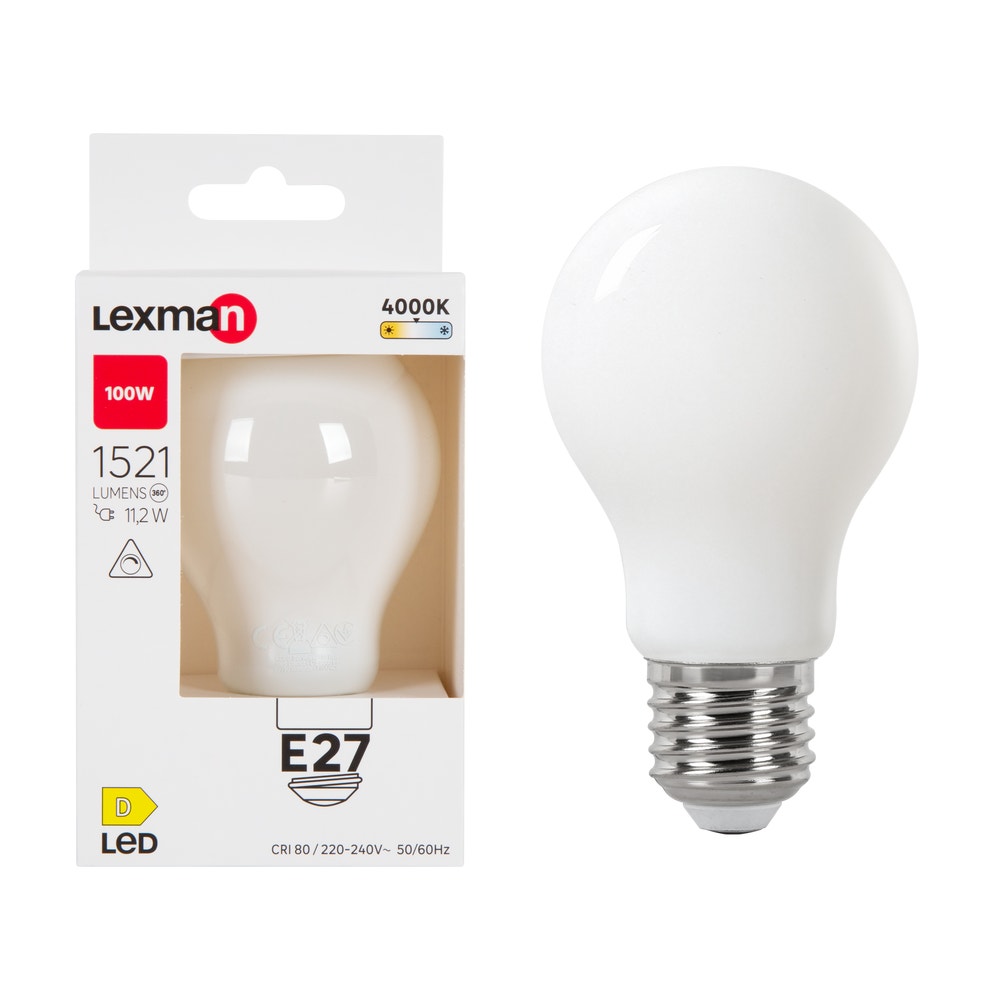
Indicative image
Dimmable LED lamp Lexman 11 W E27 4000 K
E27 base · dimmable LED
SOL-7000 profile: LXM-11W-977813
11,24 €
Price per lamp, VAT included.
See the product page →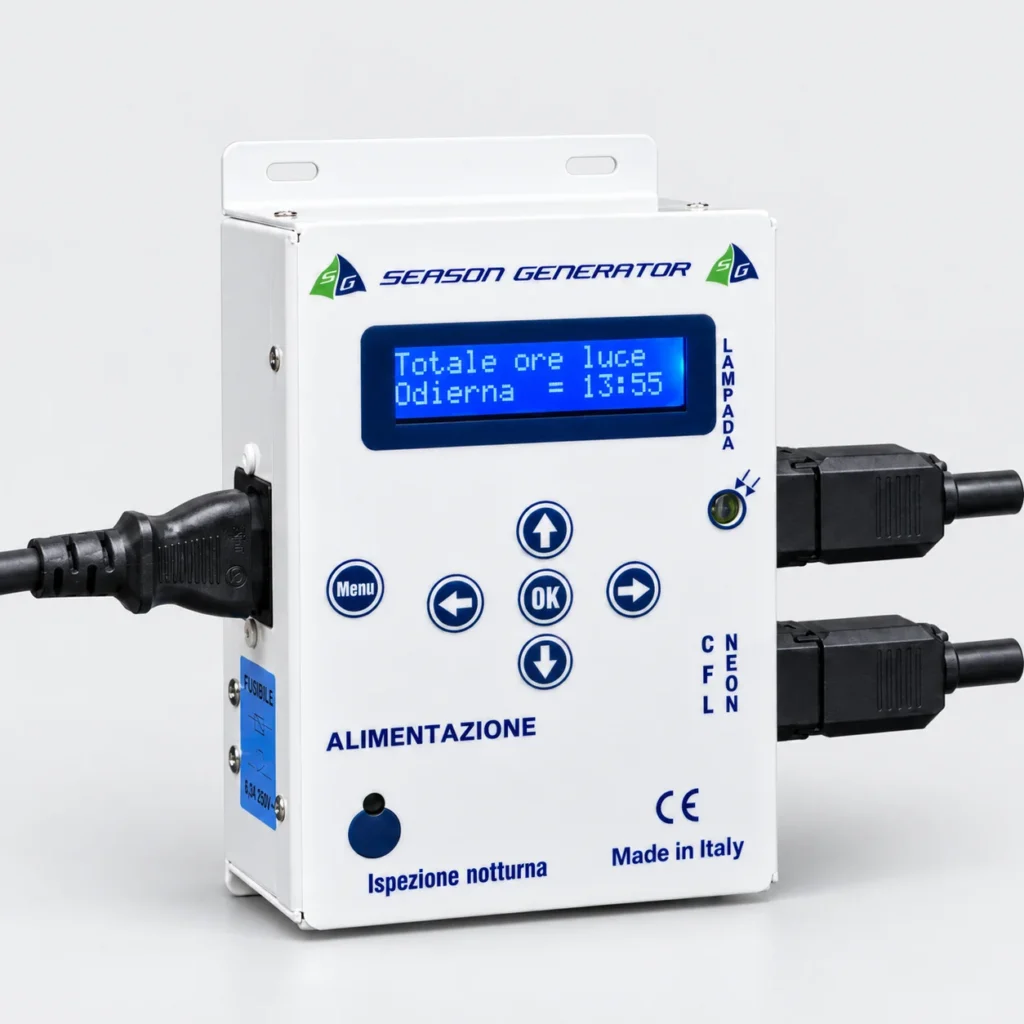
Watch the SOL-7000 presentation. Use the controls to start the video and go back over the connections.
It handles dawn and dusk on its own, every day of the year. Pick the program once and forget about it: the season moves forward by itself, day after day.
Illustrative images. Some images are digitally processed and may differ from the actual product. Check features and contents in the product details. Read the full notice
A photoperiod follows the season: daylight hours, dawn and dusk change gradually over the year.
With SOL-7000 you pick an annual table or build your own progression. The controller updates the times day by day, following the program you set.
You can follow the different stages of breeding without adjusting a timer every day. Dawn and dusk keep their gradual transitions.
Choose the light cycle to suit your species and your bird room. The table names identify seasonal profiles to be assessed, not guaranteed biological results.
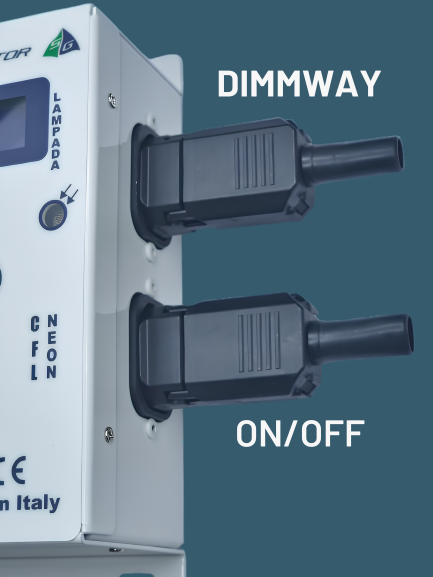
Connect the mains and the outputs your system needs: the dimmable one handles dawn and dusk; the ON/OFF one switches the daytime load on and off.
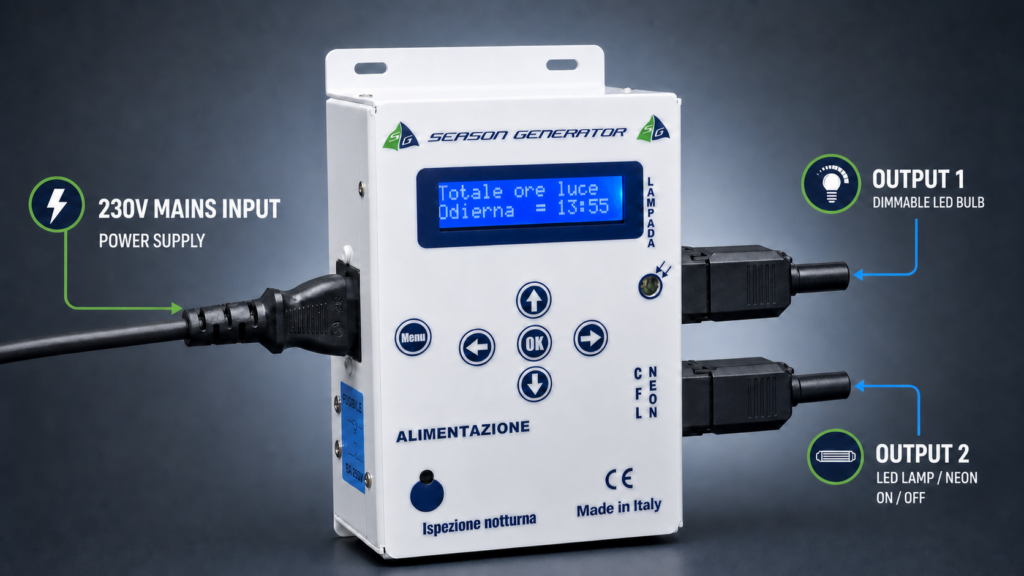
The mains cable is in the box. One single connection powers the controller.
Gradually dims compatible lamps. For dimmable LEDs, the profile must match the model actually supplied.
Switches neon tubes, LEDs or the power supply feeding the LED bars on and off. It works alongside the dimmable lamp.
The controller hangs on the wall, next to the electrical panel. Two lines start from there: one to the ceiling lamp, which does dawn and dusk, and one to the neon tubes, which come on when full daylight is needed. By choosing the mode Lamp(ON)+Neon you can keep both lights on together in the room.
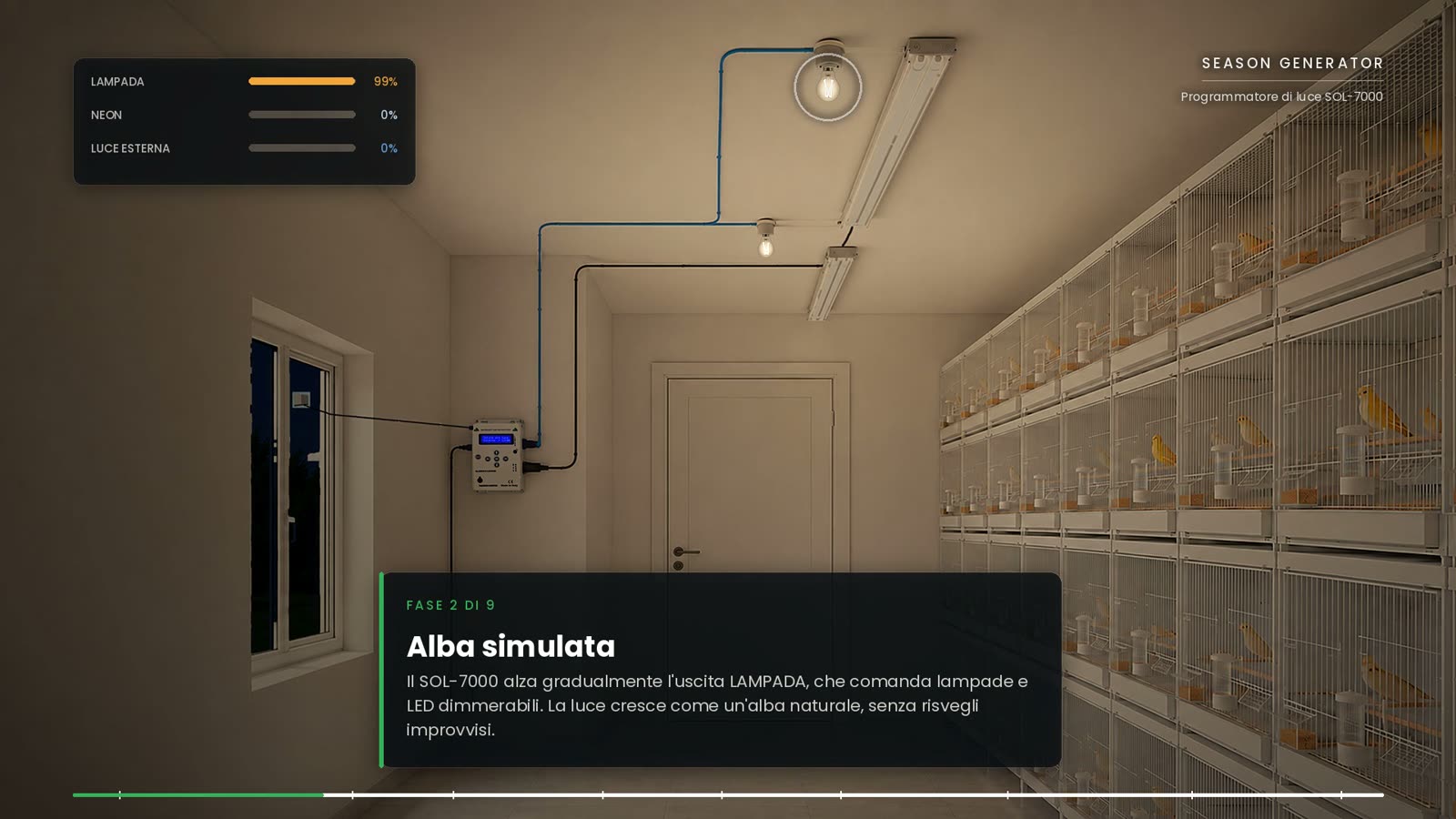
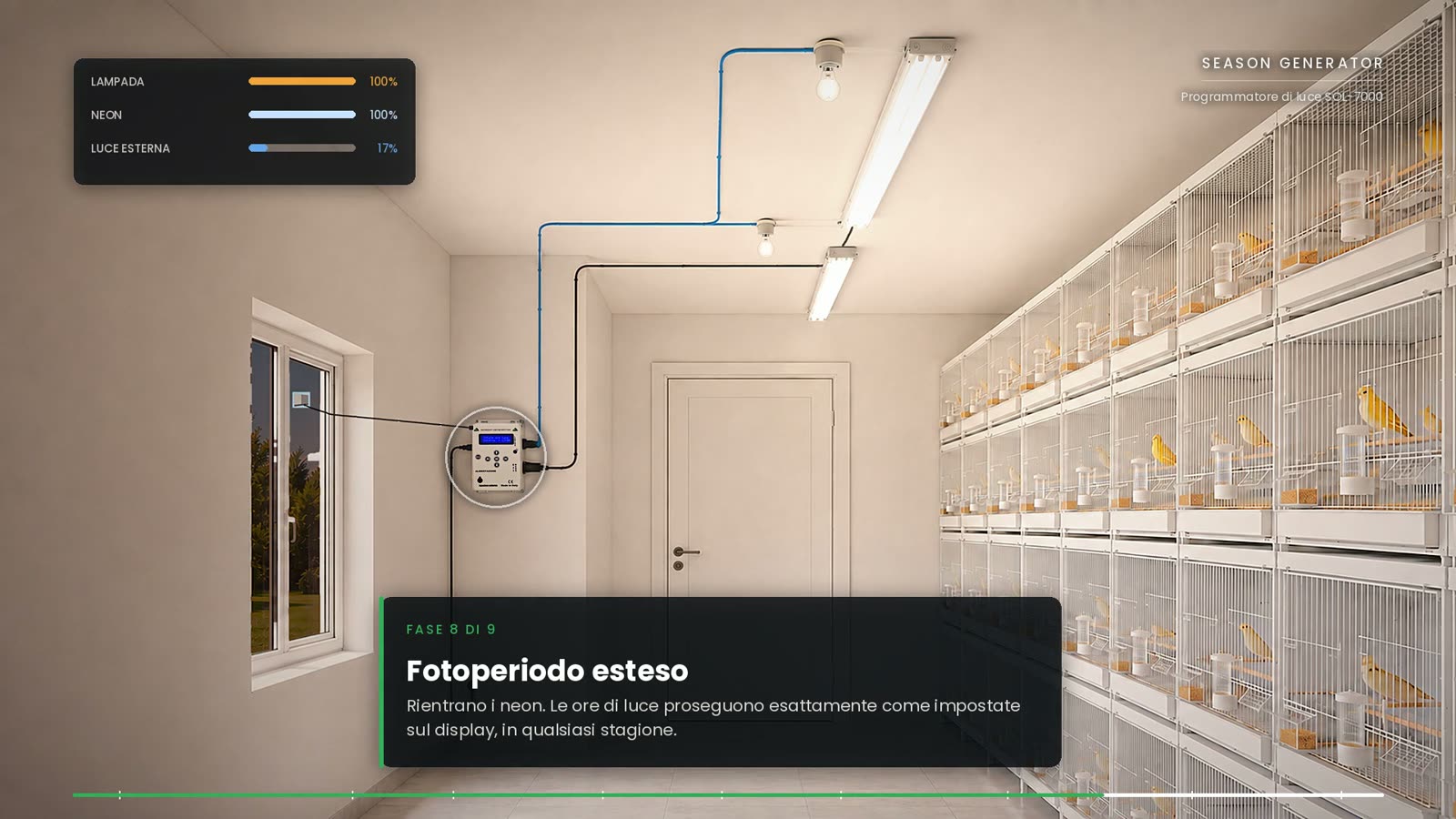
The connection is at 230 V: always follow the diagram and warnings in the manual.
The right lamps for SOL-7000
Two bulbs both marked “dimmable” can respond differently to dimming. The internal electronics and the minimum switch-on threshold vary from one model to another: some may flicker, come on in steps or go out before the end of dusk.
We recommend the lamps supplied by Season Generator: we select and test the models with SOL-7000 and develop dedicated dimming profiles. That way we can tell you the right profile for the lamp supplied and help you pair them.
The profile must be chosen for the exact model, not just the wattage. Lamps bought elsewhere need a compatibility check; the word “dimmable” alone is not enough.
With Use mode → Only lamp, the LED lamps run the whole light cycle: they brighten gradually at dawn, stay at the set maximum throughout the day and dim gradually at dusk, down to switch-off or to the night light, if one is set.
The menu Lamp limit lets you choose a fixed maximum or a seasonal limit. “All day” means the program's light period, without interrupting dawn and dusk.
How lamp profiles work · How to choose the lamp profile · Only lamp mode and brightness limit
Exact models, measured by us, E27 base. Each product page shows the profile to select on the SOL-7000. Lamps sold individually; controller not included.
Indicative image
E27 base · dimmable LED
SOL-7000 profile: LXM-11W-977813
11,24 €
Price per lamp, VAT included.
See the product page →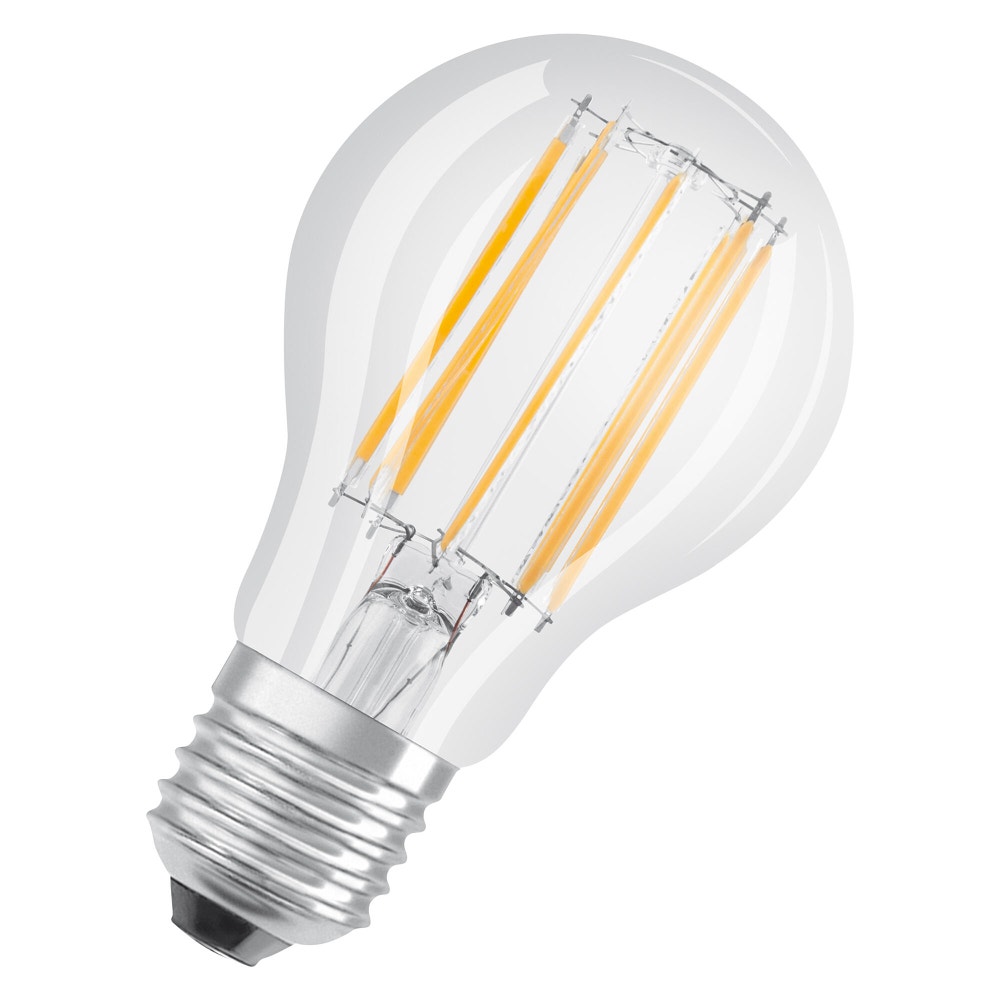
Indicative image
E27 base · dimmable LED
SOL-7000 profile: OSRM-11W-602557
13,74 €
Price per lamp, VAT included.
See the product page →
Indicative image
E27 base · dimmable LED
SOL-7000 profile: OSRM-11W-602557
13,74 €
Price per lamp, VAT included.
See the product page →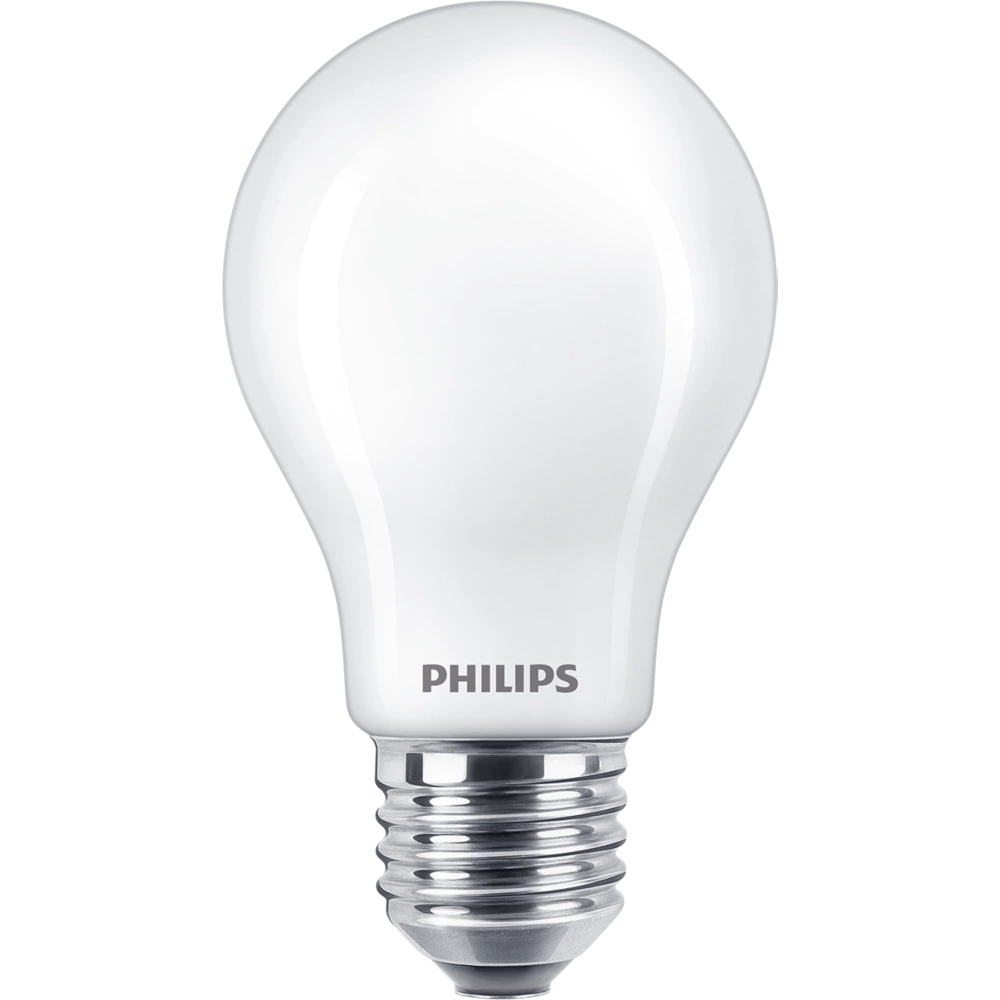
Indicative image
E27 base · dimmable LED
SOL-7000 profile: PHP-11.2W-347946
13,70 €
Price per lamp, VAT included.
See the product page →
Indicative image
E27 base · dimmable LED
SOL-7000 profile: coming soon
7,49 €
Price per lamp, VAT included.
See the product page →Original accessories
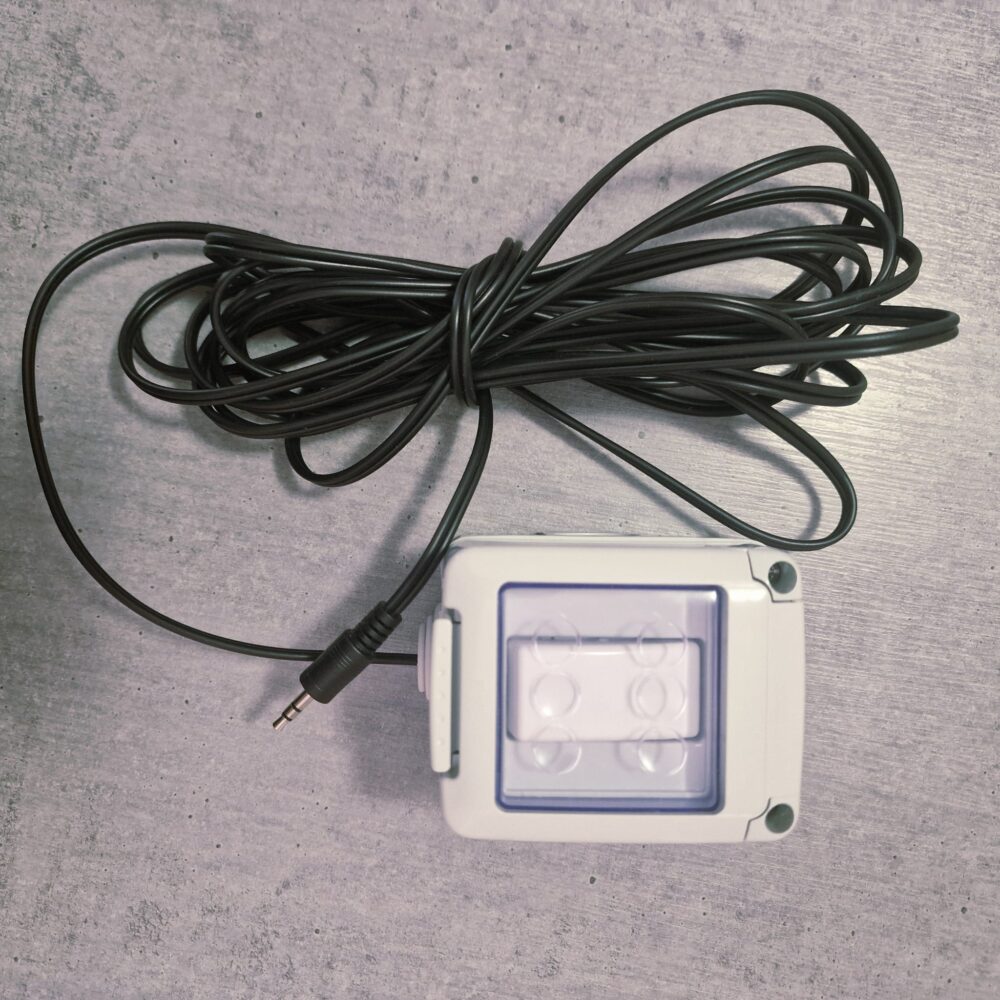
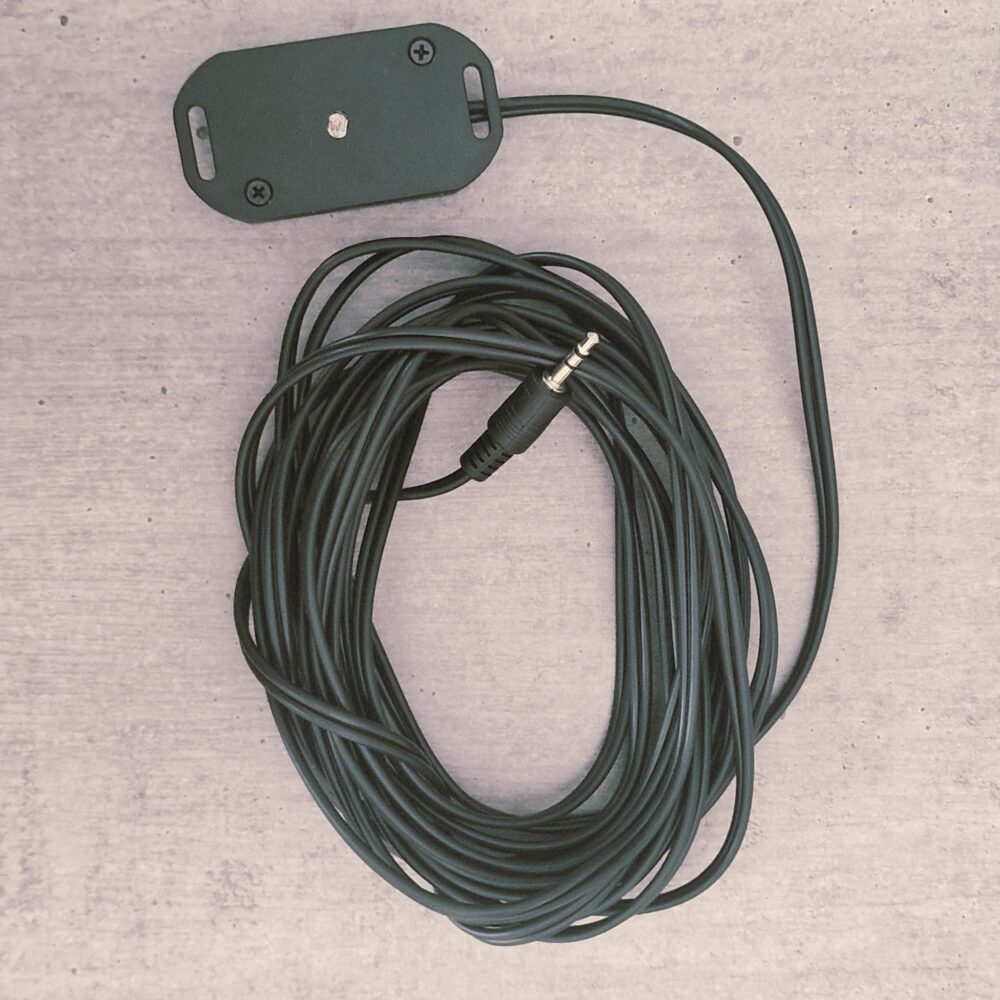
The remote inspection button switches the light on for night checks without going to the controller. The external light sensor enables energy saving based on daylight. They connect to the SOL-7000 jack inputs, with a 5 m cable.
You don't have to invent anything: the annual tables are loaded in the controller, ready to select from the menu. If you want to tweak things there are two editable programs, and if you'd rather let the calendar do the work there's AstroGPS Timer.
The annual tables are selected from the menu. The controller applies the seasonal profile and updates the times according to the date set. The tables available depend on the version supplied.
See the tables on the website. The menu also includes Manual, for fixed times, and, on versions that have it, the Breeding table.
In the Personale program you set the starting dawn and dusk, a separate daily change for each of the two times, and the duration in days. At the end, the controller keeps the last times reached.
Watch the animated explanation of Personal program 1. You can pause and go back over each step.
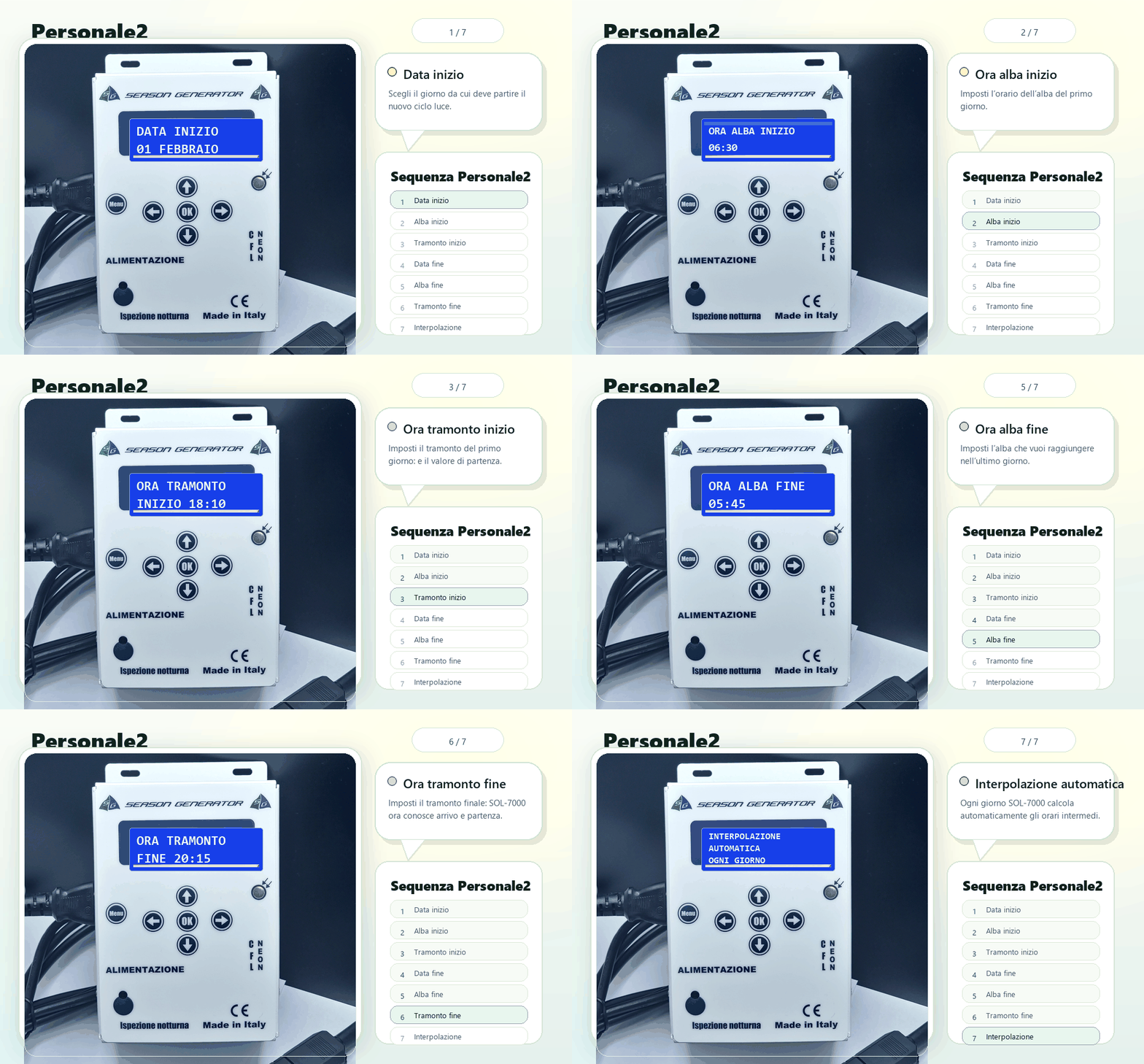
Read the program instructions →With Personale2 you set the starting dawn and dusk, the end date and the times to reach. The start date is the controller's current date: check the time and date before confirming.
The controller automatically spreads the intermediate times day by day, up to the date you chose.
Watch the animated explanation of Personal program 2. You can pause and go back over each step.
Read the program instructions →Display footage with step-by-step captions.
With AstroGPS Timer you give the controller the coordinates of a place and its time zone. From there it works out dawn, dusk and daylight hours for that spot on Earth on its own, day by day, all year round: the photoperiod follows the real season of that place, without you setting anything.
Illustrative display example, not a calculation for today's date. The real result depends on the date, coordinates and settings.
If you need a cycle entirely your own, different from these, you can draw it and send it to us: here's the page to do it.
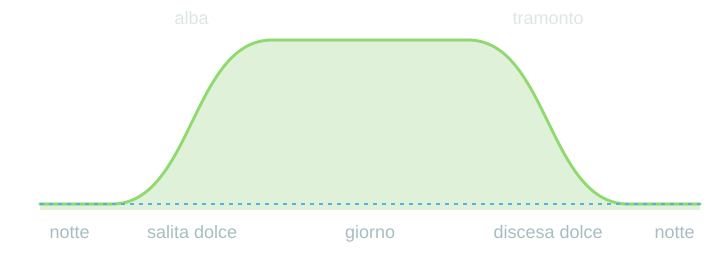
The dawn and dusk fades can be set from 1 to 100 minutes. The curve shows a gentle rise and fall, with rounded transitions into daylight and night.
Fade duration
20minutes
Illustrative diagram, not to time scale: dawn and dusk are widened to show how gradual they are. The dashed blue line shows the night light. Example with a 20-minute fade; the actual durations are set on the controller.
SOL-7000 monitors current and temperature and has a replaceable fuse. For permitted loads, trip values and spare parts, follow the label and the manual for the version supplied.
See the support guidelines →A minimal light can give the birds a point of reference at night. Keep the level clearly apart from daylight and choose it according to how stable the lamp is. It can be set up to 50%, or switched off.
The ON/OFF switching of the night inspection has its own fades, so it stays gentle and doesn't startle anyone.
Disabled — continuous operation.
Without sensor — switch-off and switch-on in a time slot you set, with a gradual return of the light.
With sensor — the photocell drives the saving, with a percentage threshold and adjustable sensitivity.
Sensor mode is only available on versions with a light input.
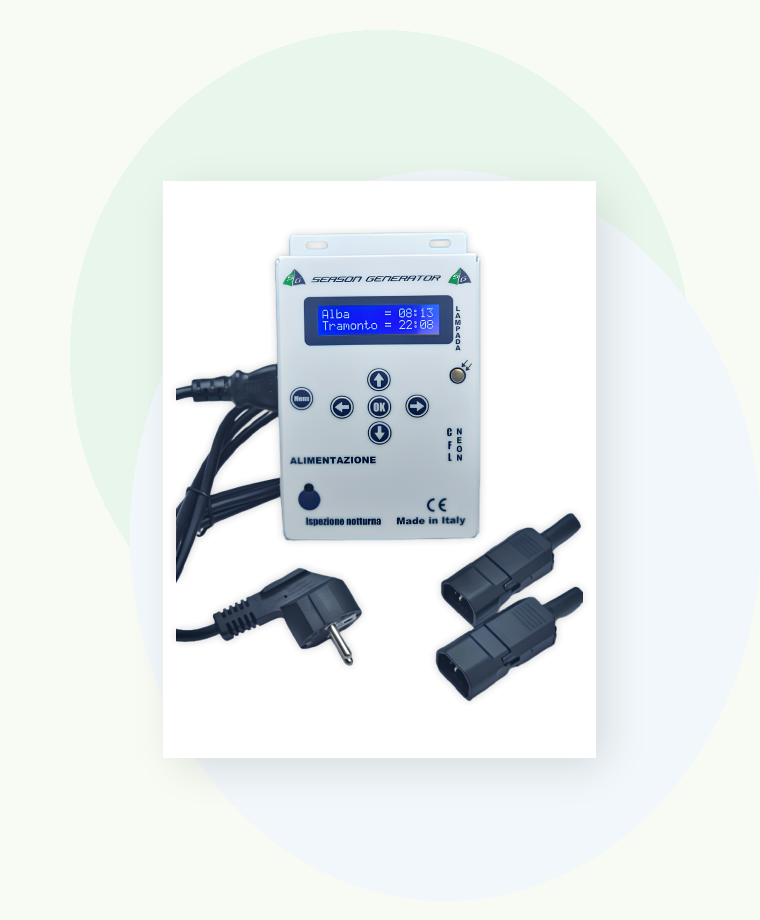
In the box you'll find the cable to connect the controller to the mains and the connectors for wiring the lamps. No hunting for adapters on installation day.
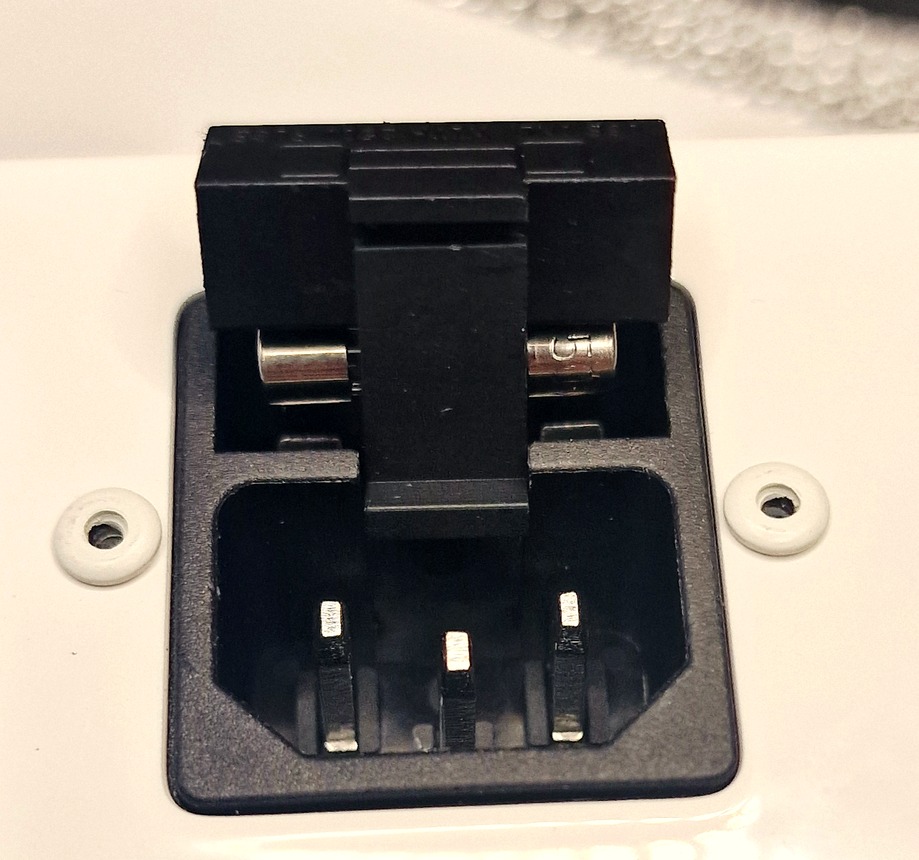
If the protection trips, the fuse is replaced with a spare of the same type and rating shown. The compartment can be reached without dismantling the system.
| Power supply | 230 V — mains cable included |
|---|---|
| Output 1 — DIMMWAY | dimmable lamp, phase-cut dimming synchronised with the mains |
| Output 2 — ON/OFF | neon, LED or switched load |
| LED compatibility | compatible dimmable LED lamps, with a profile matched to the model |
| Dawn fade | 1–100 min |
| Dusk fade | 1–100 min |
| Night inspection fade | 1–100 min |
| Preset annual tables | seasonal profiles selectable from the menu; availability depends on the version |
| Editable programs | Personale (daily increment), Personale2 (interpolation), AstroGPS Timer (coordinates) |
| Civil twilight | can be enabled from the menu |
| Energy saving | disabled · time slot · photocell (versions with light input) |
| Night light | OFF or adjustable level up to 50% |
| Protection | replaceable fuse, accessible fuse holder |
| Menu | multilingual |
| Manufacturing | designed and made in Italy |
Photoperiod, dawn and dusk are the starting point. The choice depends on the loads to control and on the wiring: mains lamps or low-voltage LED bars.
For 230 V systems: one dimmable output for compatible lamps and one ON/OFF output for neon tubes, LEDs or power supplies. The fade applies to the lamp connected to the dimmable output.
For low-voltage systems. It drives 12 or 24 V LED bars directly.
SOL-7000 handles a 230 V dimmable lamp and an ON/OFF load. SOL-LED dims low-voltage LED bars directly, with a suitable power supply. Compare functions and connections on their product pages.
Yes, but not directly: the ON/OFF output switches the power supply, which in turn feeds the LED bars. If you want the gradual fade on low-voltage LED bars, the right model is SOL-LED.
Yes, with compatible lamps and a profile matched to the model. The word “dimmable” alone doesn't guarantee the same response: some lamps may flicker or go out before the end of dusk. We recommend the lamps selected and tested by Season Generator.
No, and in most cases you don't set anything at all: the annual tables are already loaded in the controller, you pick the one for your species and you're done.
If you want your own cycle: with Personale you set the daily increment and it repeats it, with Personale2 you only give the start and end and it works out the days in between, with AstroGPS Timer you don't even give those — the coordinates are enough.
The program stays saved in memory: you don't have to enter it again.
After a long power cut, check the time and date before resuming the program, following the manual.
No. Energy saving driven by the light sensor is only available on versions with a light input. On the others you still have the time-slot mode, which covers most cases.
The connections are at 230 V and must be made by qualified personnel, following the diagram and warnings for the version supplied. Always disconnect the power before working on it.
Manuals, wiring videos and direct support. We answer, not a call centre.